Report an absence or say you're on the way
Both shortcuts are on Cubby's home screen. Open them from a child's screen instead and that child is already chosen.
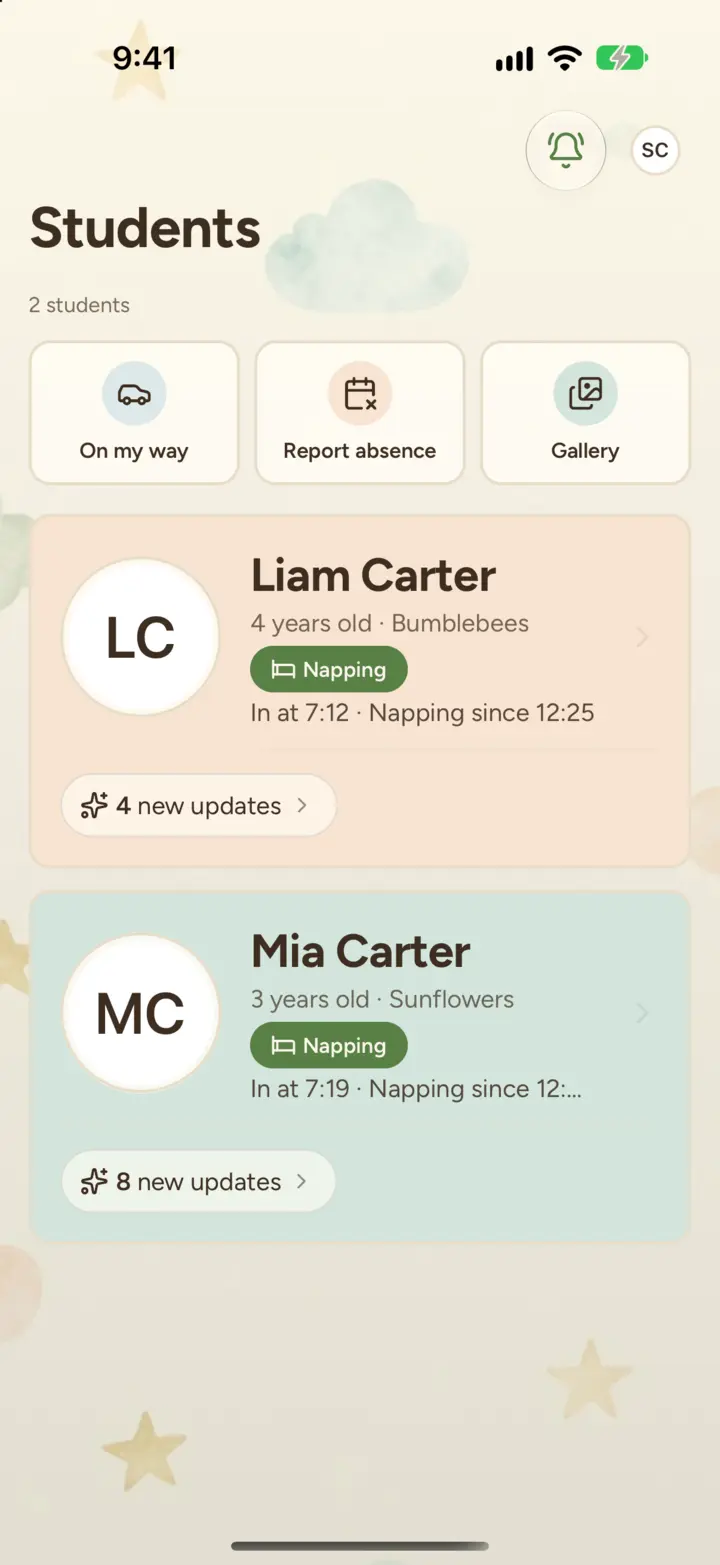
Report an absence
- Tap Report absence.
- Under Who's going to be out?, choose your children.
- Under When?, tap Today or Tomorrow, or tap Pick dates to choose a range up to 30 days ahead.
- Choose a reason: Sick, Vacation, Appointment or Other. You can add a note for the teachers.
- Tap Report absence.
On each day of the absence, Cubby marks your child out so their teachers know not to expect them.
Change your mind
Tap Undo on the confirmation that appears after you report.
Later, open Report absence again. Absences you've reported are listed under Upcoming, each with Cancel. If your child is already marked out today, tap Undo next to Out today to mark them back in.
See absences in the calendar
Absences show in your child's calendar with the reason, for example "Out · Sick". Open your child, tap the ••• menu at the top and choose Calendar.
Say you're on the way
- Tap On my way.
- If you have more than one child, choose who you're picking up. Children who are at the center are already selected.
- Under When will you get there?, tap a time such as 15 min, or tap Other to choose a clock time.
- Tap Send.
Cubby sends your child's teachers a message with your arrival time. Tap View chat on the confirmation to see it.
If your child's classroom isn't set up to receive these messages yet, Cubby tells you, and offers Call front desk when your center has a phone number on file.
Still stuck?
Email hello@thecubbyapp.com and we'll help. For questions about your child, schedule or bill, contact your center.