Get the Cubby app and join your center
Updated
Cubby is free for families and staff. Your center sets up your account and sends you an invite by email.
-
Download Cubby
Get Cubby from the App Store on iPhone or iPad, or from Google Play on Android.
-
Open your invite on your phone
Find the invite email from your center and tap the link. Cubby opens to a welcome screen with your name and your center's name.
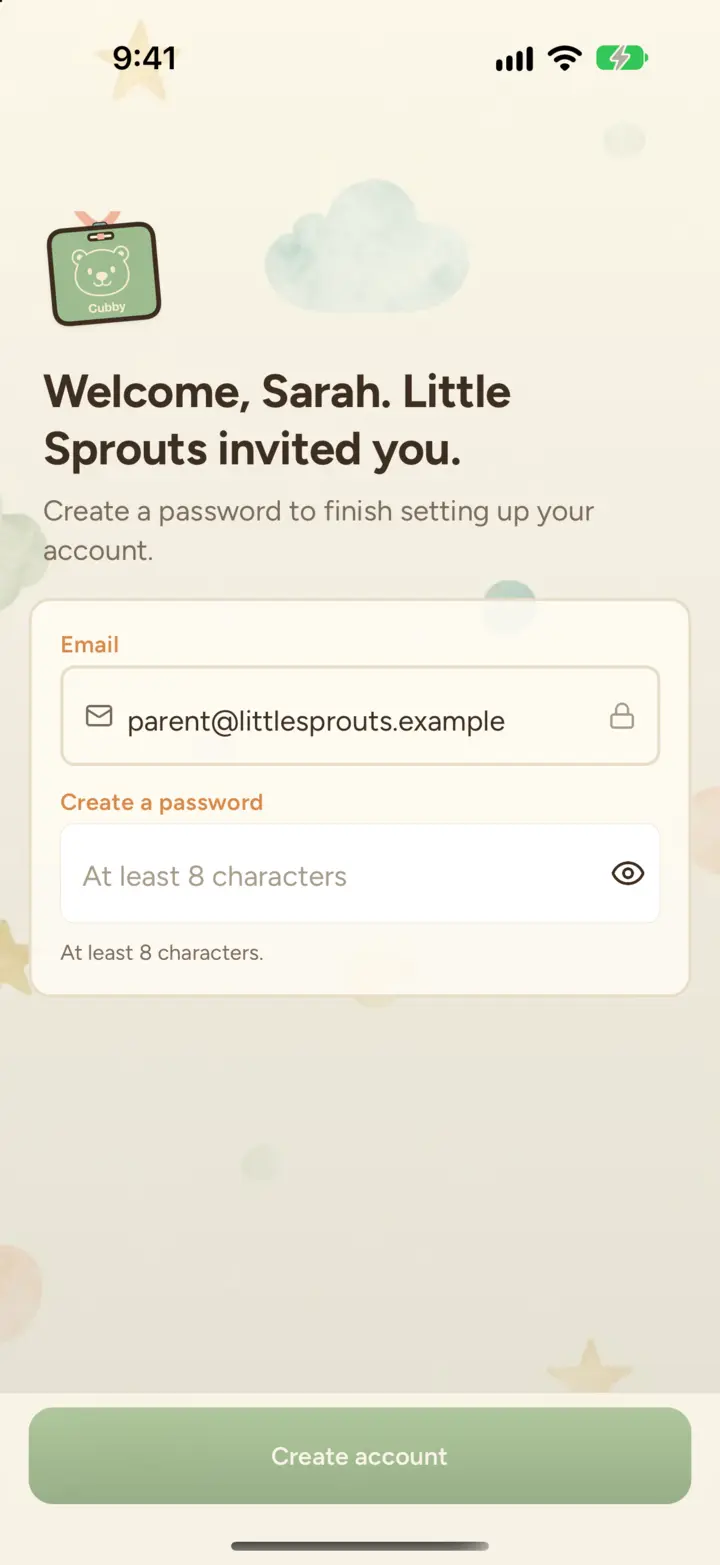
If you don't have the app yet, the link opens a page where you can set up your account: enter the email your center invited and create a password. Then download Cubby and sign in.
-
Create a password
Choose a password and you're in. On iPhone, Cubby can suggest a strong password and save it for you.
No link, or the link won't open?
Open Cubby, tap I have an invite on the sign-in screen, and enter your email and the 6-digit code from your invite email.
Didn't get an invite?
Ask your center to send one, or to check they have the right email address. Directors can resend an invite at any time.
Still stuck?
Email hello@thecubbyapp.com and we'll help. For questions about your child, schedule or bill, contact your center.